
Introduction to Darfix (6.x)#
darfix is a Python library for the analysis of dark-field microscopy data. darfix is to be used as a workflow, together with a graphical user interface based on Orange3.
The aim of this tutorial is to guide you into correctly executing darfix into a correct analysis of your images.
This tutorial will show how to use the 3 main darfix parts:
Load the data and select the different motors (dimensions). Select a transformation technique (RSM, magnification), if needed.
Pre-analysis of the images by applying several operations like region of interest, noise removal and shift correction.
- Apply DFXM analysis to the images. The DFXM techniques currently in darfix are
Rocking curve imaging: Fits the data along the z-dimension (pixel by pixel) according to a Gaussian distribution. After computation, the maps of the fit parameters will be shown. The fitted data is saved on disk in HDF5 format.
Grain plot: Several maps are plotted which can be exported into a single file: COM, FWHM, skewness, kurtosis (for every dimension). There is also mosaicity and orientation distribution maps in case of 2D datasets.
Blind source separation: An experimental technique that uses different blind source separation techniques to find grains along the dataset, tests with different datasets have shown good results with techniques like NMF, NNICA, and NMF+NNICA.
Pre-requisites#
The data format should either HDF5 or EDF.
Warning
EDF is a legacy format and will no longer be supported natively starting from Darfix 4.0.
However, it is possible to convert EDF to HDF5 to load the data in Darfix.
- Motor information should be contained in metadata.
For HDF5: a group should contain all positioners datasets.
for EDF: headers should contain motors_mne information.
The data should be a stack of images (dimensions: N_frames x W x H).
Installing darfix#
At ESRF#
darfix is already installed on the SLURM cluster. To run it, follow these steps:
Connect to the cluster
ssh -X cluster-access
Request an interactive job on a node with appropriate resources
salloc -p interactive –x11 srun –pty bash
Load the darfix module
module load darfix
Launch darfix
darfix
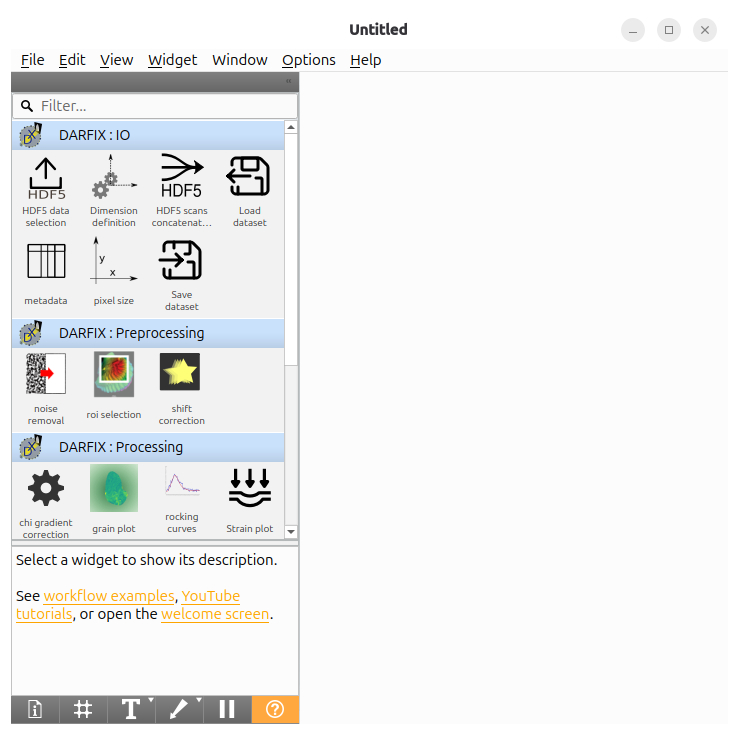
The following window should then appear:
Outside ESRF#
Install darfix according to the instructions in Installation
Then, you can launch darfix by running
darfix
and get the same window as above.
Workflow creation#
To get a workflow quickly, you can start from one of the workflow examples.
Help > Example Workflows
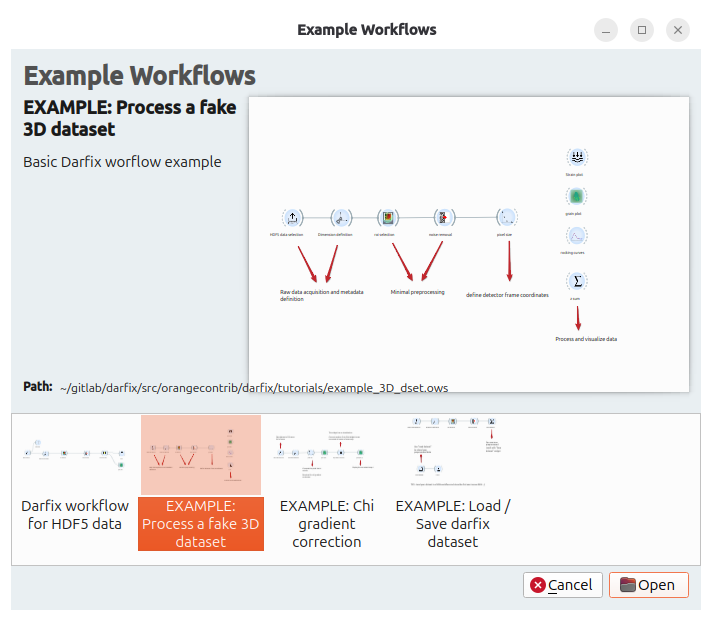
Three example workflows are available.
For quick start, have a look at EXAMPLE: Process a fake 3D dataset.
First, click HDF5 data selection. This opens a pre-filled widget with a fake dataset path and scan selected. Click OK to continue.
Tip
If you have raw data from a DFXM experiment, this widget is your first entry point to select the scan you want to process.
Tip
In case you need to concatenate several HDF5 raw inputs, please refer to HDF5 scans concatenation.
Then, Dimension Definition is needed to select the motors moving during the scan. Once again everything is pre-filled in the example. Click OK to continue.
Widgets like roi selection and Noise Removal are preprocessing widgets: they modify the dataset in memory. All preprocessing widgets have:
An Apply button to apply and check the modification.
A Reset button to restore the original input dataset.
An OK button to pass the dataset to the next widget.
Pixel Size (Legacy Transformation Widget) defines the pixel size of your frames (taking the magnification into account) and will be reused later in analysis widgets.
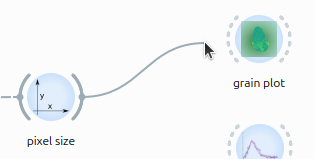
Finally, connect the analysis widget you want to try (Grain Plot, Rocking Curves, ZSum or Strain Plot).
Draw a link by clicking on the output port of the last connected widget and dragging it to the target widget:
Tip
To navigate through a workflow:
After configuring a widget, click OK to validate and pass data to the next widget.
For preprocessing widgets (ROI Selection, Noise Removal), click Apply first to preview the result, then OK to confirm.