
HDF5 data selection#

Signals#
Outputs: Dataset
Details#
Builds a Darfix dataset from raw data contained in a Bliss HDF5 file.
This is done by selecting
the HDF5 filename
the URL where images are located in the HDF5 file
the URL where motors are located in the HDF5 file
Optionally, dark data can be selected as well.
Tip
If your data is stored in EDF files, you must convert them to HDF5 first: see Convert EDF files to HDF5.
Tutorial#
Drag the widget on the canvas (if not already there) and double-click on it
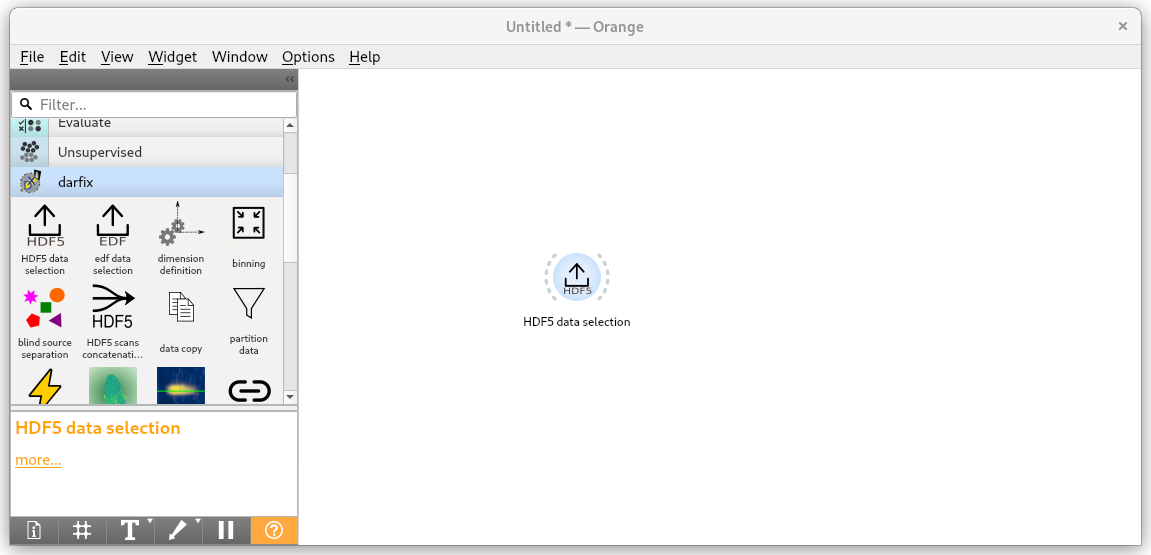
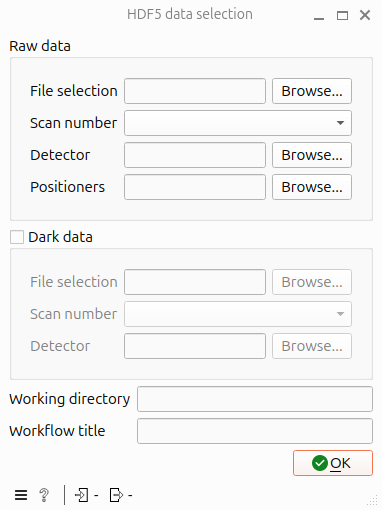
Select a file by typing its path in the File selection path in the Raw data or by clicking Browse button
The widget will fill automatically the Scan number, Detector and Positioners fields. You can select another scan by changing the Scan number, Detector and Positioners will update as well.
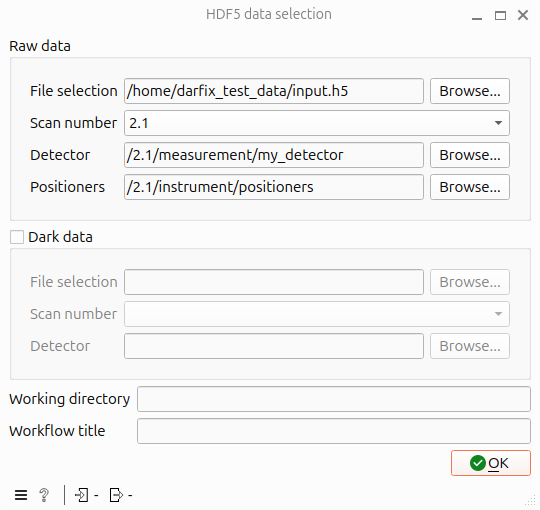
Once the correct scan number is selected, you can also choose different values for Detector and Positioners if the paths are not standard. This can be done either by changing the text fields or by clicking on the corresponding Browse buttons.
Optional: To select a file to be used as dark data, you can check the Dark data checkbox and select a file, scan number and detector as previously (no positioners are needed in this case).
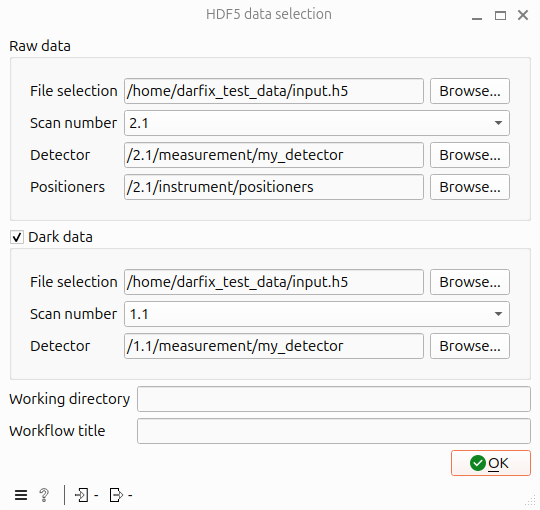
Optional: Supply a folder where data will be saved in further steps by changing the Working directory field
Hint
If the raw data is stored according to the ESRF data policy, the working directory will be set by default to the corresponding
PROCESSED_DATAfolder.Example:
If the raw data is stored at
/data/visitor/ma1234/id00/20250509/RAW_DATA/sample/sample_dset/sample_dset.h5The default analysis folder will be
/data/visitor/ma1234/id00/20250509/PROCESSED_DATA
Else, the working directory will be the directory of the input file
Optional: Give a Workflow title. This has no incidence on the processing.